Python Library ยท Version 2.5.1

One template.
Multiple outputs.

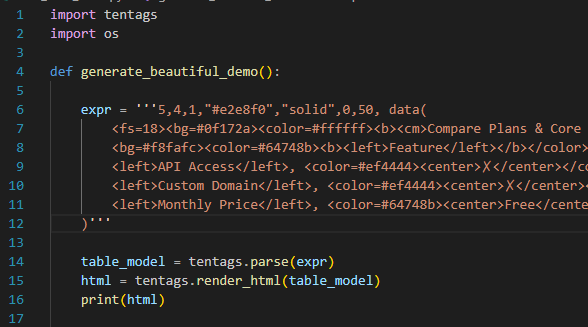
TenTags is a declarative language designed for Python developers and AI systems to generate beautiful HTML, XLSX, PDF and DOCX documents from a single template.
TenTags Example

Current release ยท TenTags 2.5.1

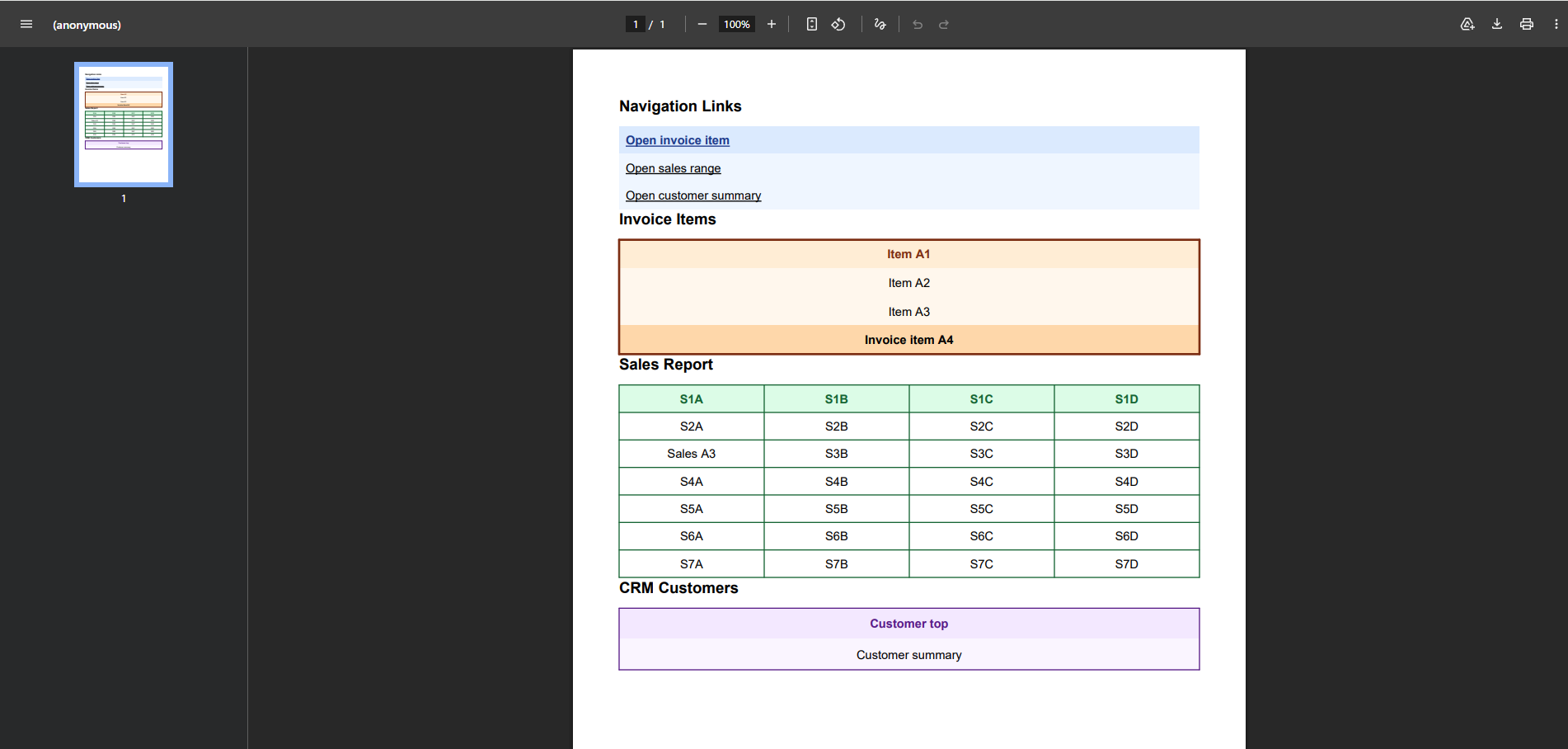
Clickable images in PDF

Native image links

Wrap an <img> in <url> to make the image clickable. PDF output now creates a native URI link for external addresses and an internal destination navigation.

Template integrations

  • Django Template Tags: {% tt %} and inline tags
  • Jinja2 extension and the tentags(...) global helper
  • FastAPI integration through Jinja2Templates
  • Flask integration through Jinja2

Django example: inline and decoupled template rendering

The view prepares either one complete TenTags formula or separate preamble, style, and data blocks, then renders them with Django template tags.

views.py


                    from django.shortcuts import render


                    def index_view(request):
                        user_name = "Qabylan Technologies"
                        user_role = "Project Owner"

                        inline_formula = (
                            f"1, 2, 1, '#38bdf8', 'solid', 0, 50, "
                            f"data(User: {user_name}, Role: {user_role})"
                        )

                        preamble = "1, 2, 1, '#10b981', 'solid', 0, 50"
                        style_block = "style(<left>User: </left>, <right>Role: </right>)"
                        data_block = f"data({user_name}, {user_role})"

                        context = {
                            "inline_formula": inline_formula,
                            "preamble": preamble,
                            "style_block": style_block,
                            "data_block": data_block,
                        }
                        return render(request, "test_app/index.html", context)

templates/test_app/index.html


                    <!doctype html>
                    <html lang="en">
                    <body>
                    <h1>TenTags Django Demo</h1>

                    {% load tentags %}

                    <h2>Block Tag Integration</h2>
                    {% tt %}
                    4, 4, 1, "#cbd5e1", "solid-1", 0, 45,
                    data(
                        <fs=18><bg=#1e293b><color=white><b><cm>Q3 Financial Performance, , , , </cm></b></color></bg></fs>;
                        <bg=#f1f5f9><color=#1e293b><b><left>Department</left></b></color></bg>,
                        <bg=#f1f5f9><color=#1e293b><b><center>Revenue</center></b></color></bg>,
                        <bg=#f1f5f9><color=#1e293b><b><center>Expenses</center></b></color></bg>,
                        <bg=#f1f5f9><color=#1e293b><b><center>Net Profit</center></b></color></bg>;
                        <left>Engineering</left>, <right>"$240,000"</right>, <right>"$180,000"</right>, <bg=#dcfce7><color=#166534><b><right>"+$60,000"</right></b></color></bg>
                    )
                    {% endtt %}

                    <h2>Inline Tag Integration</h2>
                    {% tentags_inline inline_formula %}

                    <h2>Decoupled Block Integration</h2>
                    {% tentags_inline preamble style_block data_block %}
                    </body>
                    </html>
                

๐ŸŽฅ Watch TenTags in 3 Minutes

Learn how to describe complex table layouts with a single declarative string and generate HTML, XLSX, PDF, and DOCX from the same source.

Why developers choose TenTags

Scroll horizontally โ†’

HTML

HTML Generation

Generate responsive HTML pages from declarative templates.
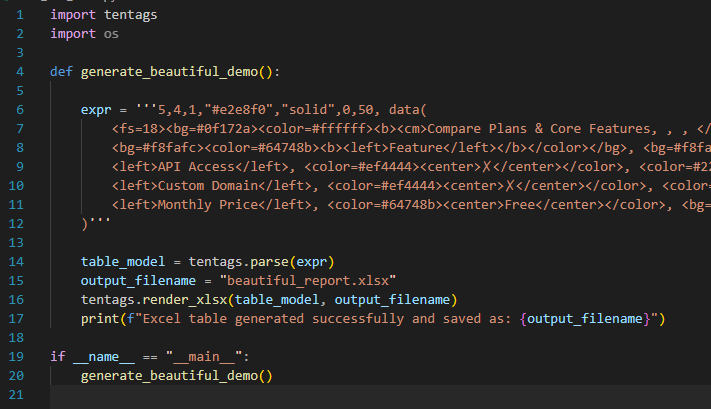
XLSX

XLSX Spreadsheets

Produce native XLSX spreadsheets with formatting and formulas.
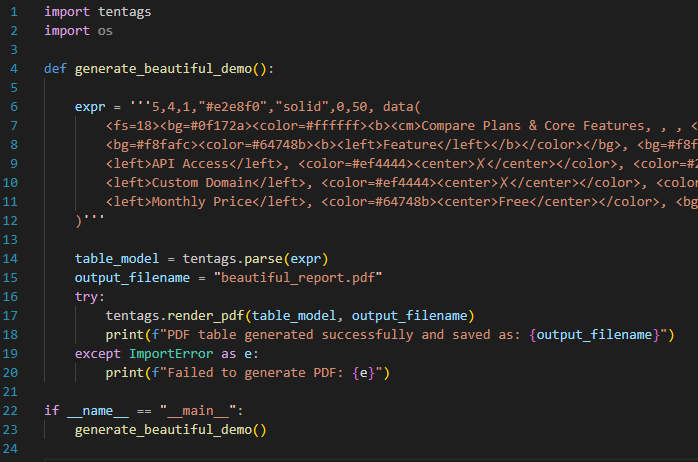
PDF

PDF Documents

Export invoices, reports and printable documents.

DOCX

DOCX Documents

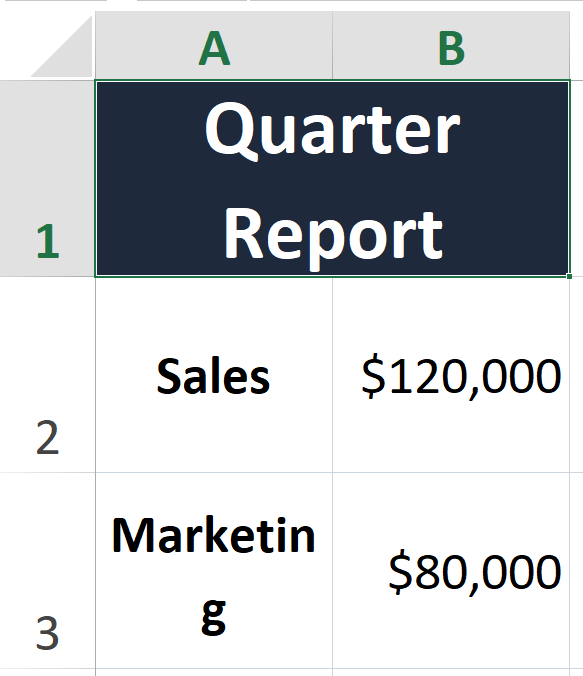
Export native DOCX documents with custom table grid formatting, cell shading, and merged cells.

๐Ÿ View Python Code Example (SQLite & TenTags Integration) โ–ผ

            import sqlite3
            import tentags

            # Initialize demo database
            conn = sqlite3.connect("sales.db")
            conn.execute("DROP TABLE IF EXISTS sales")
            conn.execute(
                "CREATE TABLE sales (product TEXT, q1_sales INT, q2_sales INT, status TEXT)"
            )
            conn.executemany(
                "INSERT INTO sales VALUES (?, ?, ?, ?)",
                [
                    ("Laptops", 12000, 15000, "Excellent"),
                    ("Smartphones", 22000, 24000, "Excellent"),
                    ("Headphones", 3000, 3500, "Good"),
                ],
            )
            conn.commit()

            rows = conn.execute(
                """
                SELECT product, q1_sales, q2_sales, status
                FROM sales
                """
            ).fetchall()

            # ==================== TENTAGS 2.5.1 IMPLEMENTATION ====================

            data_rows = [
                [
                    "
Electronics Sales Report
", "", "", "", ], [ "Product", "
Q1 Sales
", "
Q2 Sales
", "
Status
", ], ] style_rows = [ [""] * 4, [""] * 4, ] for product, q1, q2, status in rows: data_rows.append( [ product, f"{q1}", f"{q2}", f"
{status}
", ] ) if status == "Excellent": status_style = "" else: status_style = "" style_rows.append( [ "", "", "", status_style, ] ) preamble = tentags.serialize.preamble( len(data_rows), 4, border_color="#e2e8f0", border_style="solid-1", cell_height=30, ) style = tentags.serialize.style( style_rows, expected_rows=len(data_rows), expected_cols=4, ) data = tentags.serialize.data( data_rows, expected_rows=len(data_rows), expected_cols=4, ) html = tentags.render(preamble, style, data) print(html) conn.close()

From code to document

One template can generate different document formats.

import tentags

            table = data(
            ...
            )

            html = render_html(table)
            render_pdf(table, "output.pdf")
            render_xlsx(table, "output.xlsx")
            
<bg=#4F8CFF>
            <color=white>
            <b>Employee</b>
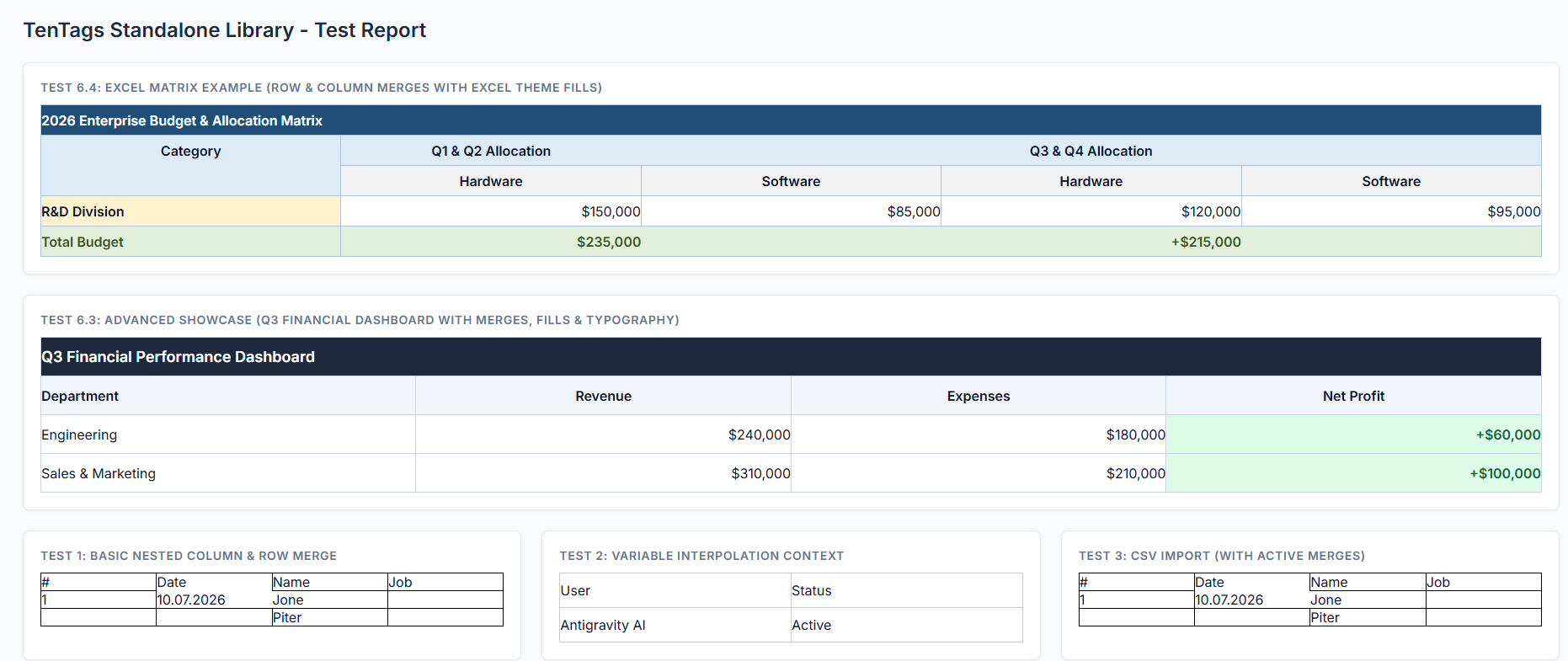
            
Generated HTML
Generated XLSX
Generated PDF

What developers say

Real feedback from creators using TenTags.

Loading reviews...

Install in seconds

Start generating documents with a single command.

pip install tentags

TenTags Studio

TenTags Studio Editor

A desktop visual editor designed to construct, modify, and preview your TenTags layouts in real-time. Instantly export to HTML, XLSX, PDF, and DOCX formats.

๐ŸŽจ Visual Grid Designer

Design tables visually using an interactive grid. Apply custom cell sizes, font properties (bold, italic, size, colors), hyperlinks, alignments, target marks, and vertical or horizontal cell merges with ease.

๐Ÿ”„ Live Bi-Directional Sync

Built on Python's Abstract Syntax Trees (AST). Type code in the editor or design visually in the grid; the compiler synchronizes both directions in real-time without losing comments or context.

๐Ÿ“ฅ CSV Template Support

Load style layouts and raw text content directly from CSV files. The editor handles padding for mismatched dimensions and auto-aligns sequential imports automatically to save you time.